StickyDocs
Download StickyDocs.dmg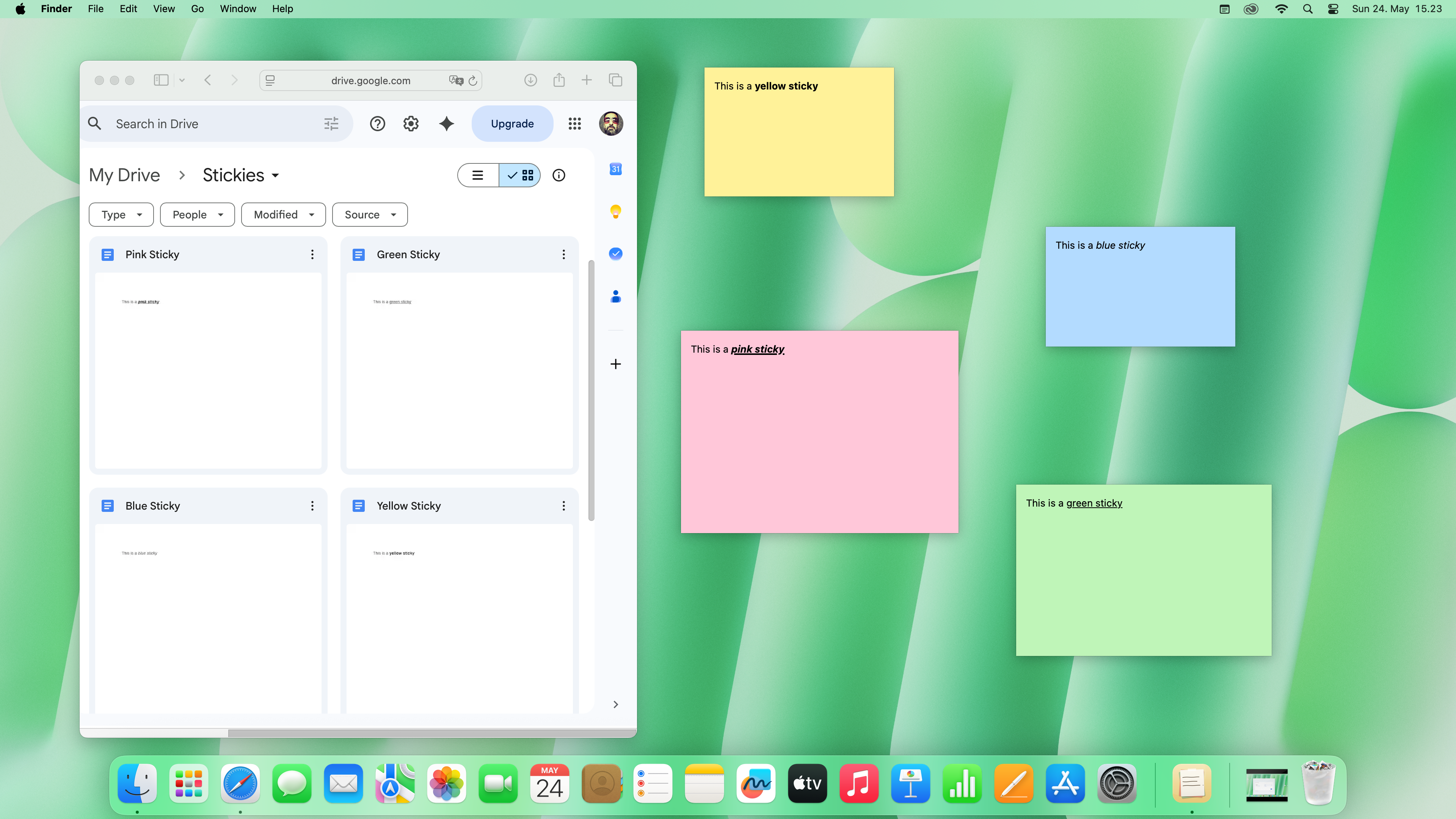
Overview
StickyDocs is a menu-bar app for macOS that lets you keep small floating notes on your desktop. Each sticky is mirrored 1:1 to a Google Doc inside a Stickies/ folder in your own Google Drive, so your notes are backed up, searchable from Drive, and available on any Mac you sign into with the same Google account.
How it works
- Create a sticky from the menu bar. It appears as a small floating window you can move and resize.
- Type freely. The app debounces and pushes the contents to its matching Google Doc shortly after you stop typing, and immediately when you click away or close the window.
- Open StickyDocs on a second Mac signed into the same Google account and your stickies appear there too.
- Edit the underlying Doc directly in Google Docs in a browser; the sticky picks up the change on the next sync.
What it accesses
StickyDocs uses two Google API scopes, both at the minimum level needed:
- Google Drive (
drive.file) — to create a singleStickies/folder and one Doc per sticky, and to find Docs it previously created. The app cannot see any other file in your Drive. - Google Docs — to read and write the body of the Docs it created, in order to keep your sticky text in sync.
There is no Baleware server. Your sticky content travels directly between your Mac and Google.
Download
Download StickyDocs.dmg — requires macOS 15.6 or later. Updates are delivered automatically via Sparkle once installed. You can also browse all releases on GitHub.